

Tesla vehicles and Powerwall
Storm-ready. Automatically.
StormControl watches the forecast for your home. When rain, wind, or snow is on the way, it raises your vehicle and Powerwall charge limits. When the weather clears, everything goes back to normal.
Topped off before the lights go out. Your Vehicles and Powerwall, proactive preparedness.
Custom protection
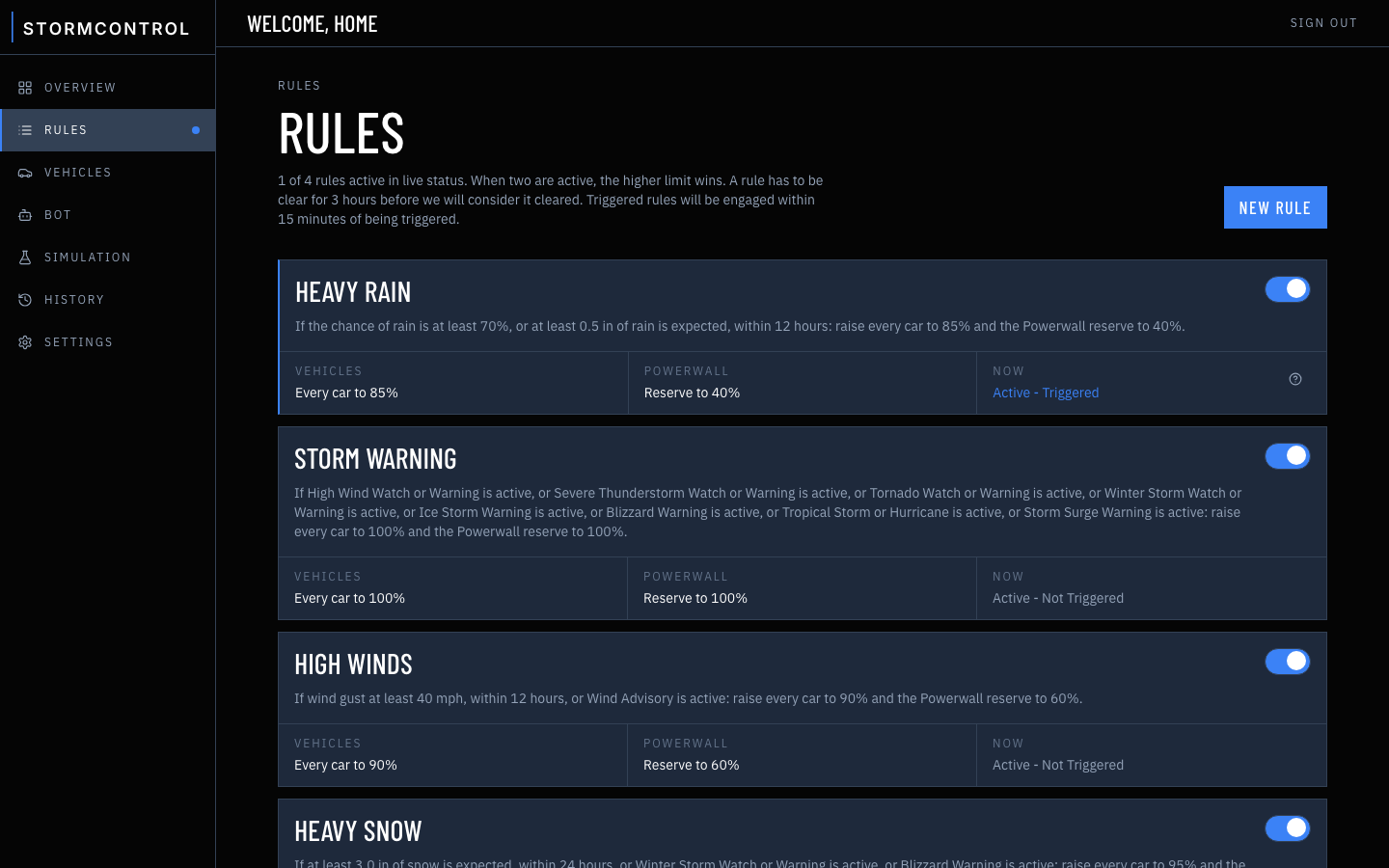
Template forecast rules come available out of the box. Customize rules, change thresholds, or write your own. Need something completely custom? Bring your bot!
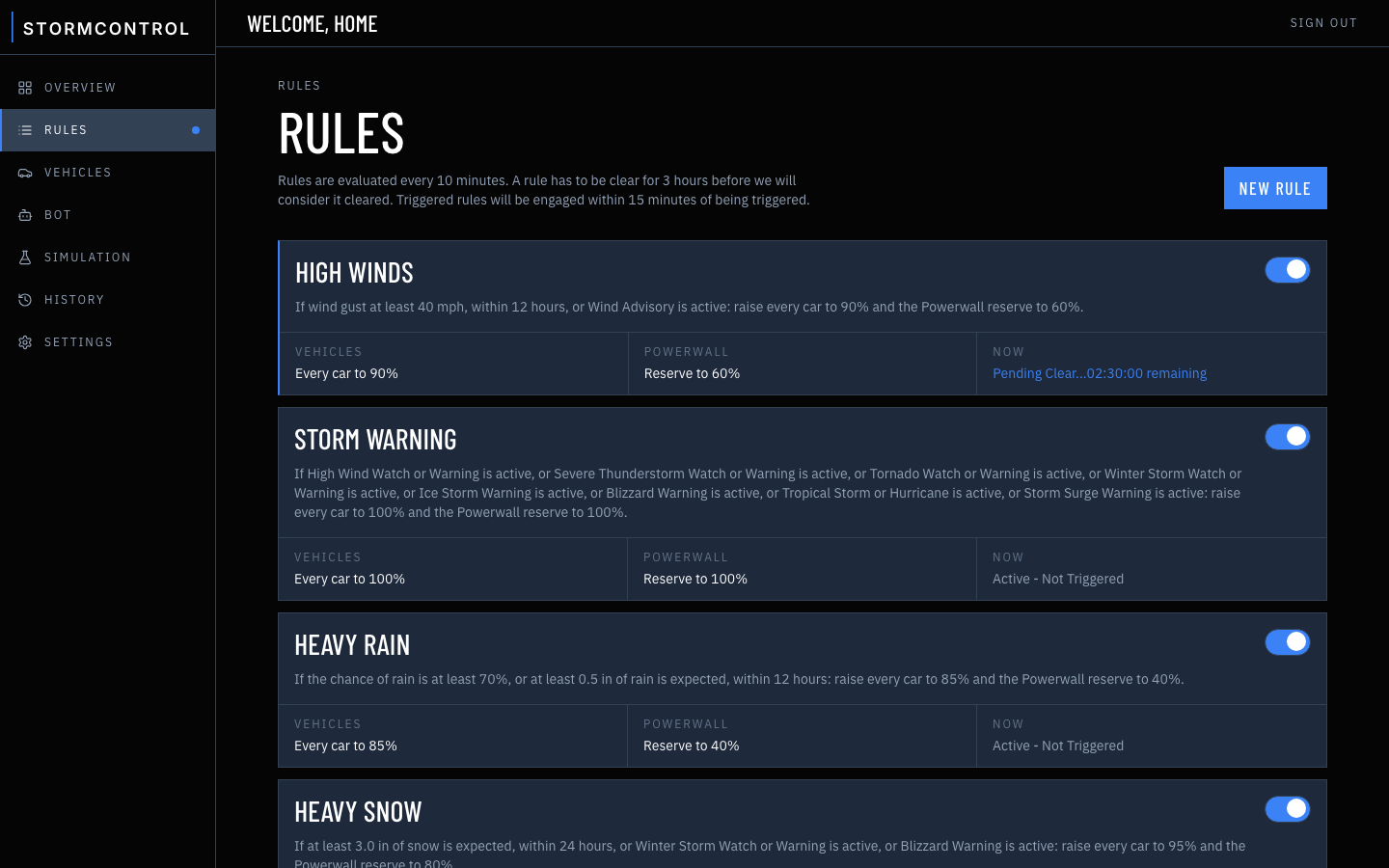
High winds
Gusts of 40 mph within 12 hours, or a wind advisory.
90% charge · 60% reserve
Heavy rain
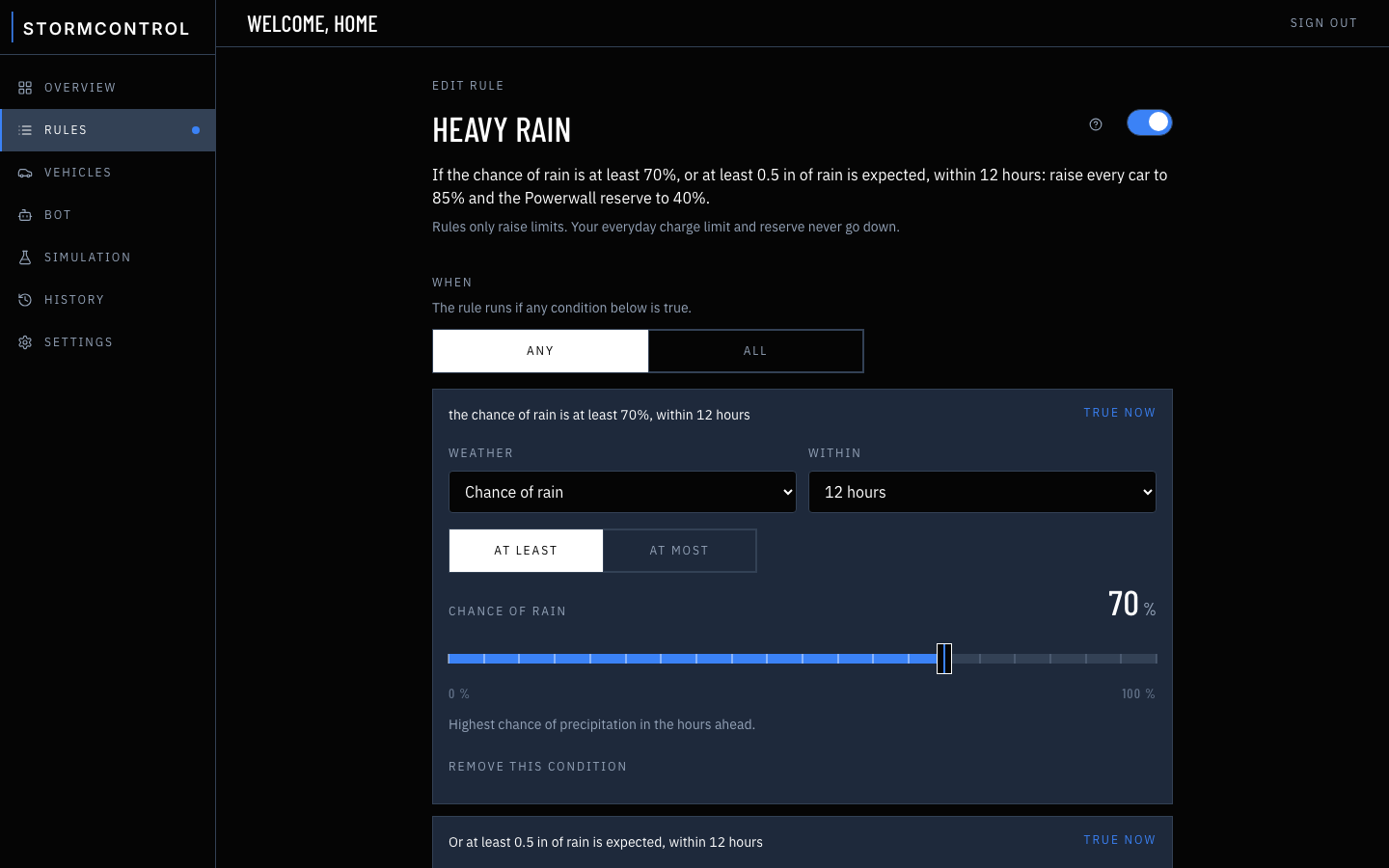
A 70% chance of rain within 12 hours, or half an inch of rain.
85% charge · 40% reserve
Snow
An inch of snow within 24 hours, or a winter weather advisory.
95% charge · 80% reserve
Mega and Giga
Weather advisory
Wind, winter, fog, heat, flood, or a special weather statement.
80% charge · 30% reserve
Overview · Home
Clear
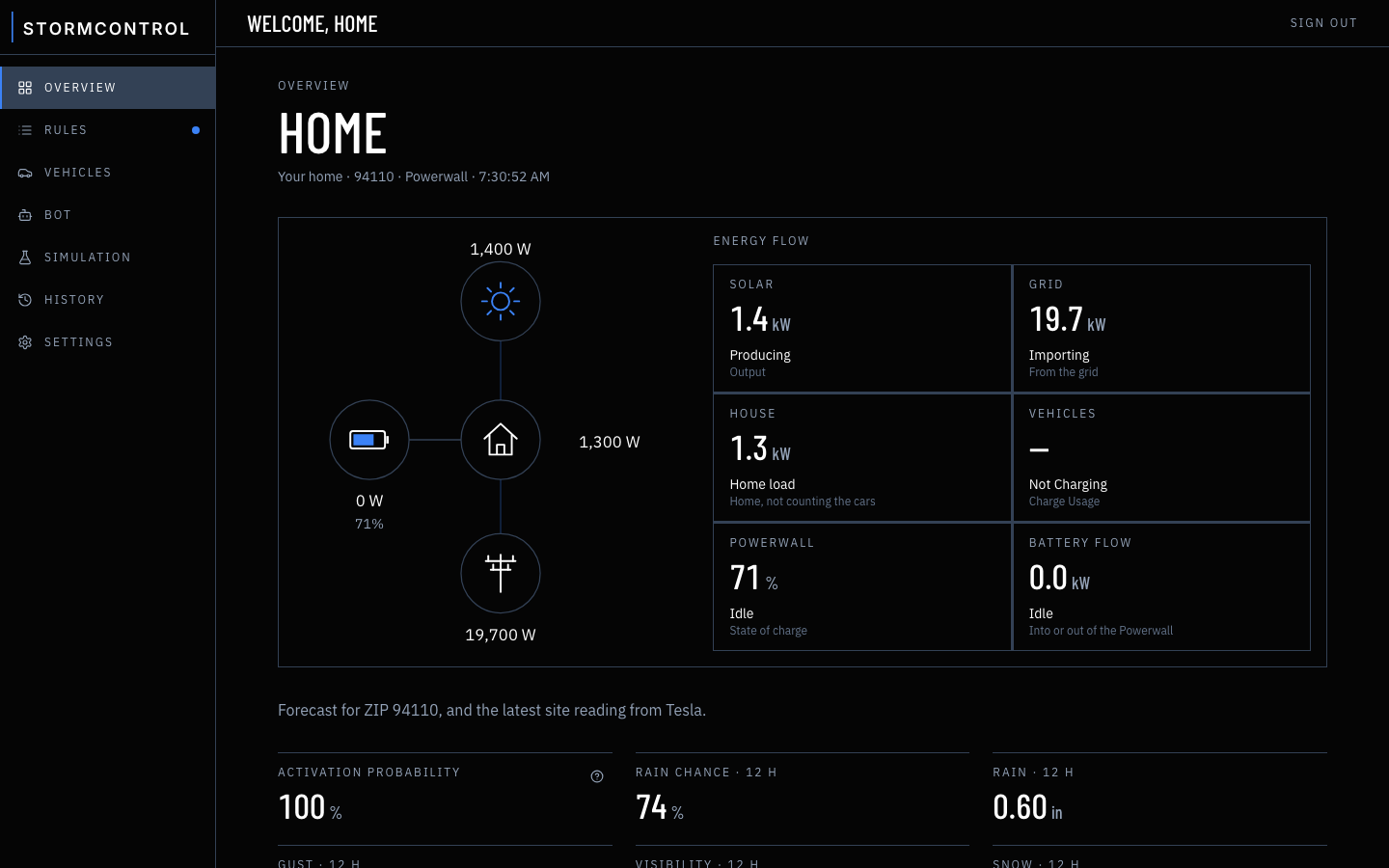
Energy flow
Solar
5.7kW
Producing
Output
Grid
17.8kW
Importing
From the grid
House
1.1kW
Home load
Home, not counting the cars
Vehicles
19.9kW
Charging
Charge Usage
Powerwall
76%
Charging
State of charge
Battery flow
2.4kW
Charging
Into or out of the Powerwall
Your bot
Available on the Giga Plan
Some warnings don't come from the forecast
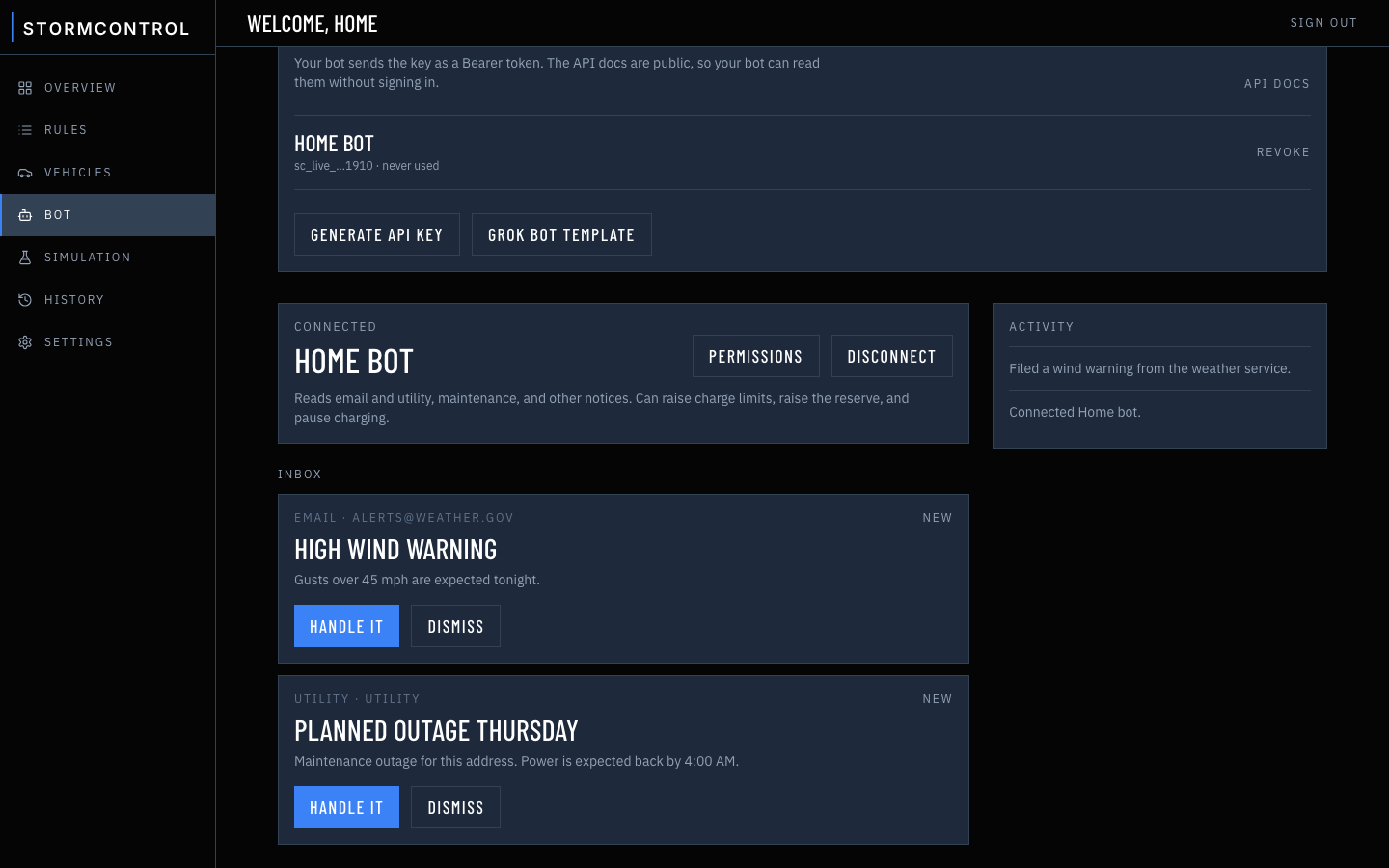
Your utility emails about a planned outage. The weather service sends a wind alert. Your bot reads them and can top up the cars and the Powerwall before the power goes out. You choose exactly what it's allowed to change.
Start free trialEmail alerts
A weather email arrives. The bot can raise every car to at least 90% until the email is dismissed.
Planned outages
A notice from your utility, before the grid drops. The bot can raise the Powerwall reserve to 80% and pause car charging until the notice is dismissed.
Tell your bot
Chat with your bot, or tell it what to set up. StormControl takes care of the rest. Bring Grok Bot, Muse, Claude, OpenAI, or just use our API directly!
How it works
Forecast in. Fully charged
01
Watches the forecast
Hourly National Weather Service data for your ZIP code, including rain, gusts, visibility and snow totals that Storm Watch ignores.
02
Tops up ahead of time
Raises the charge limit on the cars you pick for as long as the weather calls for it.
03
Mega and Giga
Keeps the house powered in an outage
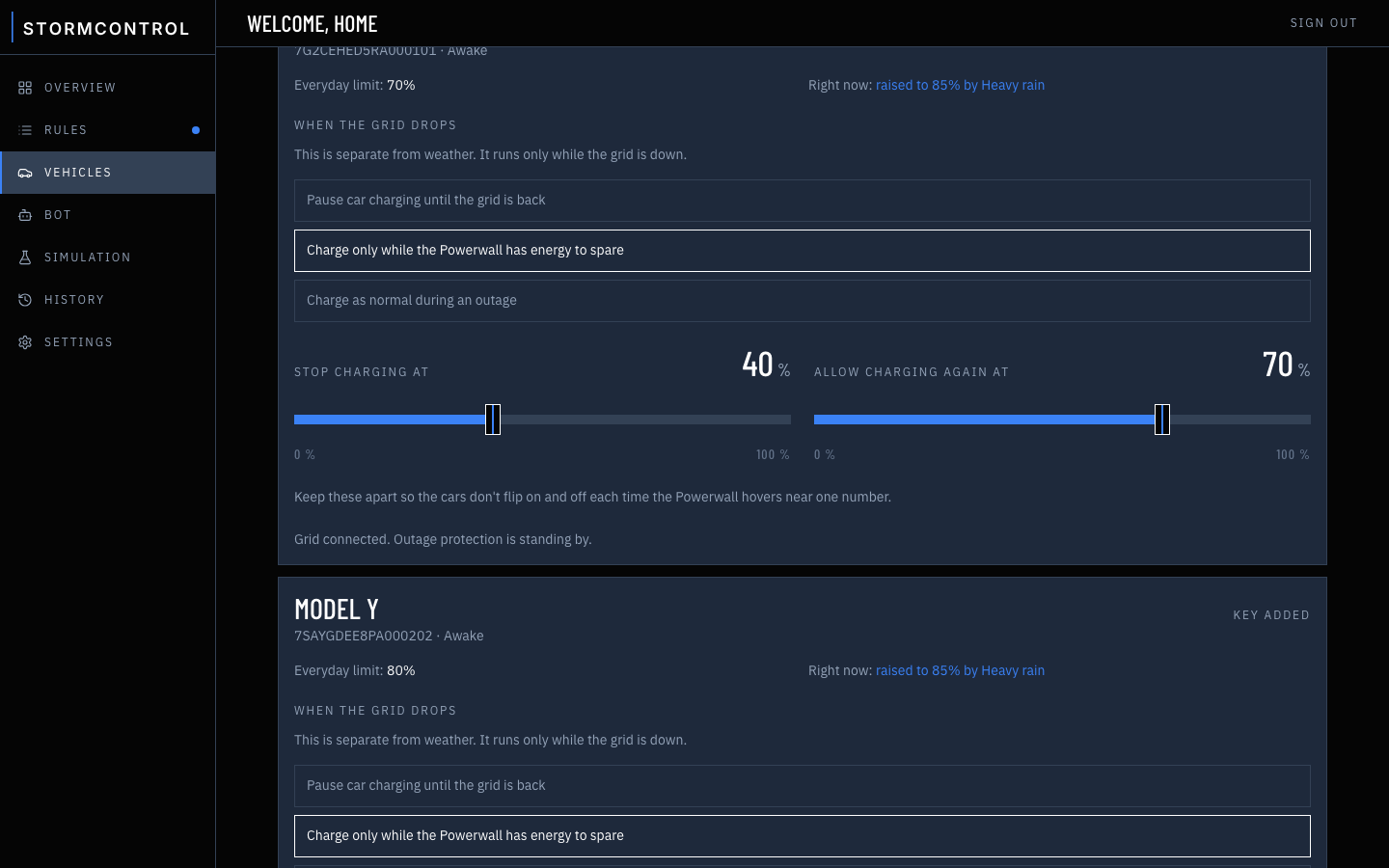
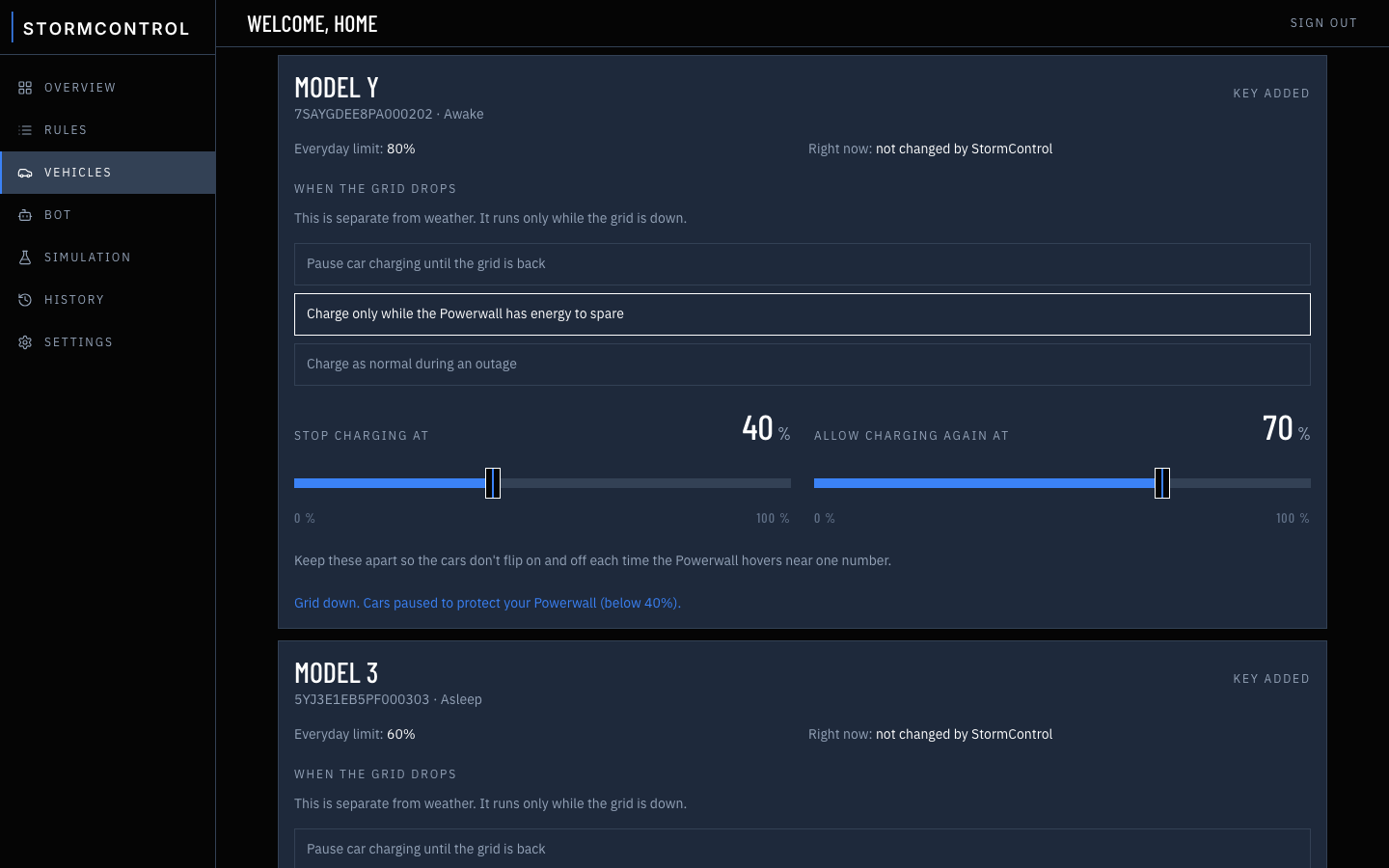
When the grid goes down, it pauses the cars so they don't drain your Powerwall.
04
Charge limit
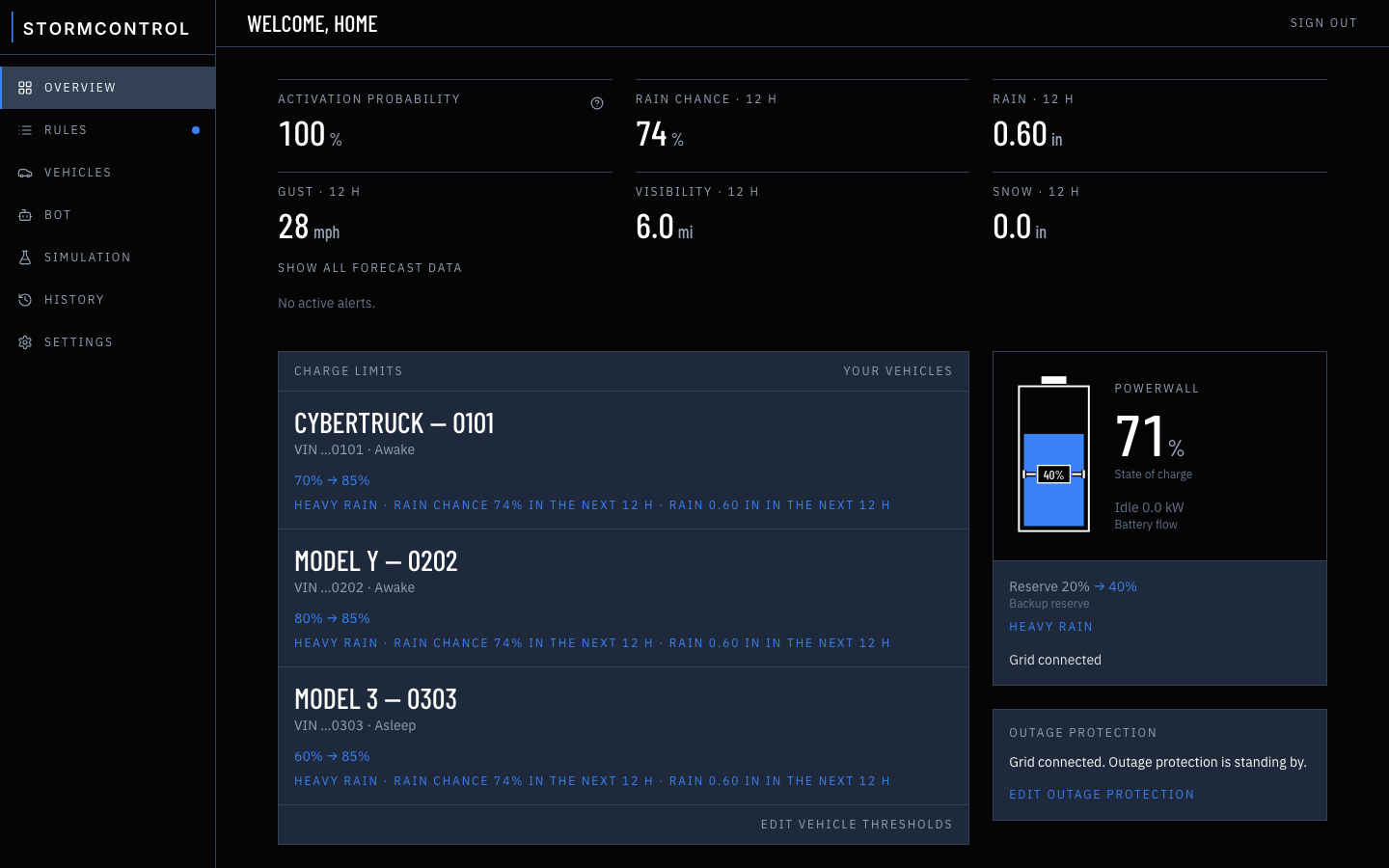
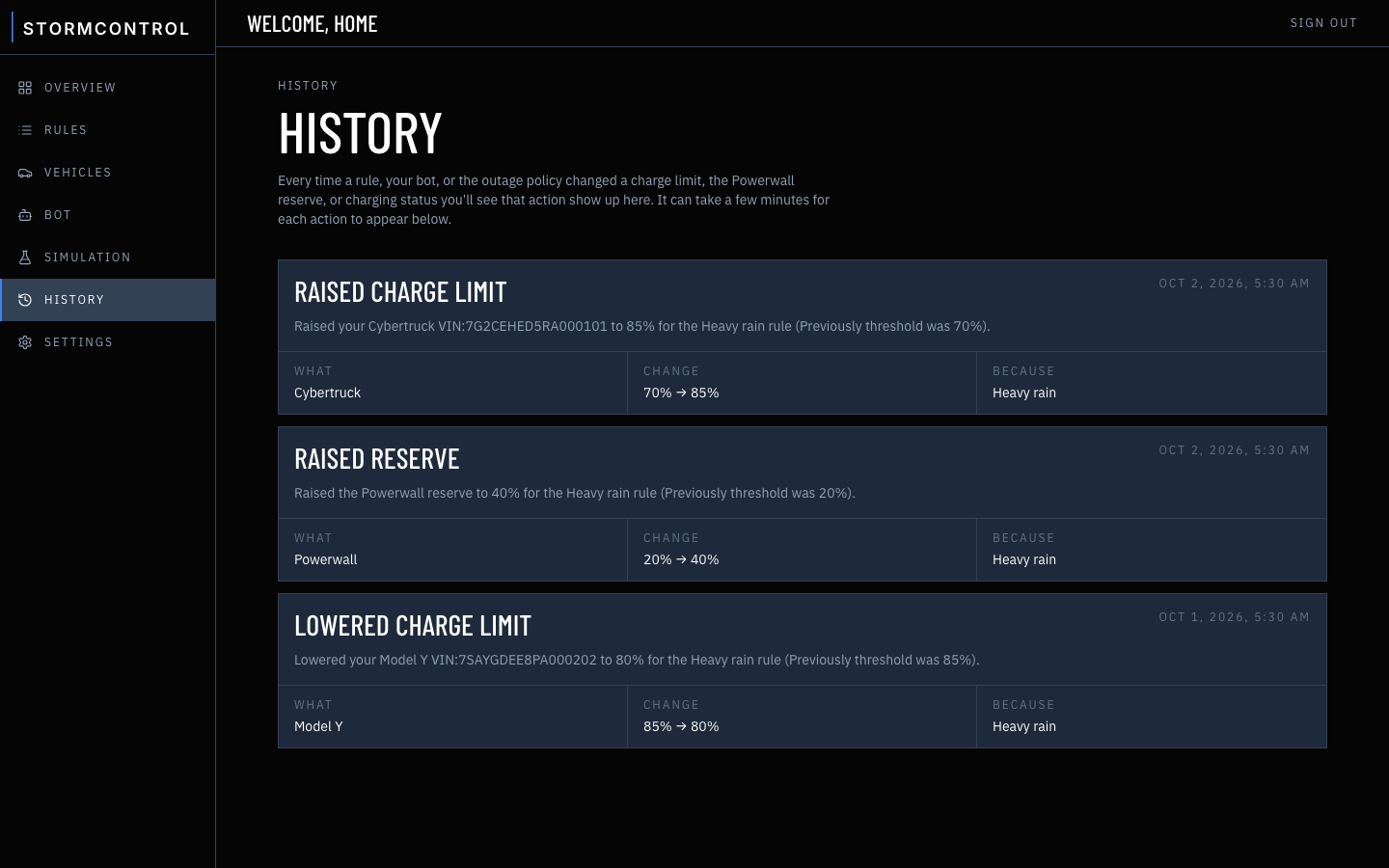
Your everyday limit stays put. A rule only raises it, say from 70% to 85% when rain is likely, then puts it back. StormControl never lowers a limit you set.
05
Mega and Giga
Powerwall reserve
The same rule can raise the backup reserve, from 20% on a normal day to 40% for that rain. It doesn't have to go to 100%.
06
Mega and Giga
Outage
Below 40%, the cars pause so the house keeps its backup. Above 70%, they start again.
Command & control console
What it can read
30+ triggers.
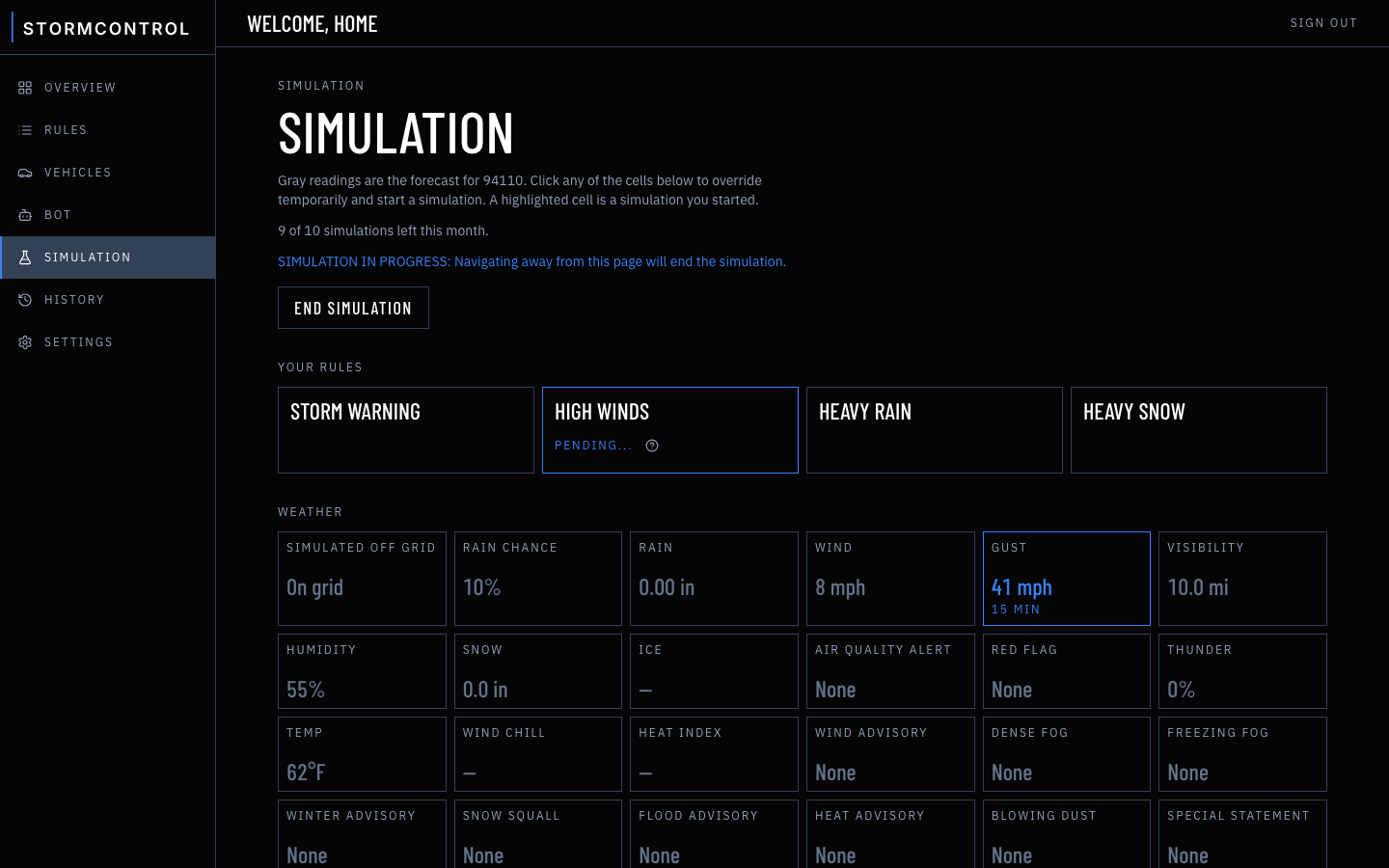
Build a rule from any of these. Forecast triggers look 6 to 72 hours ahead. Alerts switch on when the National Weather Service issues them.
Rain
- Chance of rain%
- Expected rainin
Wind
- Sustained windmph
- Wind gustmph
Visibility
- Visibilitymi
- Relative humidity%
Snow & ice
- Expected snowin
- Freezing rain or icein
- Freezing levelft
Air
- Air Quality Alert
- Red Flag Warning
Developing weather
- Thunderstorm chance%
- Convective energyJ/kg
Temperature
- Temperature°F
- Wind chill°F
- Heat index°F
Advisories
Mega
- Wind Advisory
- Dense Fog Advisory
- Freezing Fog Advisory
- Winter Weather Advisory
- Snow Squall Warning
- Flood Advisory
- Heat Advisory
- Blowing Dust Advisory
- Special Weather Statement
From your bot
Giga
- Utility planned outage
- Maintenance
- Other...
- React to alerts in your email
- Control via chat
- Top the cars up before a drive
- Pause charging when the utility emails
Plans
From $0.99 a month
Every plan starts with a 7-day free trial. Upgrade for more cars, weather advisories, Tesla Home and Powerwall control, and a bot. Cancel anytime.
Spark
$0.99/month
7-day free trial
- 1 car
- Weather forecast triggers
- Charge limits
- 2 simulations/month
Mega
Most popular
$1.99/month
7-day free trial
- 2 cars
- Weather forecast triggers
- Charge limits
- Weather advisory triggers
- Tesla Home and Powerwall control
- Outage-based charging rules
- 5 simulations/month
Giga
$2.99/month
7-day free trial
- Up to 4 cars
- Weather forecast triggers
- Charge limits
- Weather advisory triggers
- Tesla Home and Powerwall control
- Outage-based charging rules
- 10 simulations/month
- Agent API access*
* Your bot can send up to 100 commands per month.
FAQ
Good questions
How is this different from Tesla Storm Watch?+–
Storm Watch reacts to severe watches and warnings by filling the Powerwall. StormControl starts earlier, on everyday weather like rain, gusts, fog, snow and smoke. It can also charge your cars, and you choose the thresholds and charge limits.
Does StormControl guarantee my car or Powerwall will be charged before a storm?+–
No. StormControl is a convenience tool, not a safety system. It depends on forecasts, Tesla, and your equipment, any of which can be wrong or unavailable, so it can't promise any action or result. Keep charging yourself when it matters, and follow official warnings. See the Terms.
Which vehicles does a rule apply to?+–
Each rule lists its vehicles. One can raise the Model Y for rain and leave the Cybertruck on its everyday limit. If more than one rule matches, the higher limit wins.
What happens in an outage?+–
Mega and Giga
With a Powerwall or Gateway, StormControl knows when the grid goes down. You can pause car charging for the whole outage, or set two Powerwall levels: stop charging below one, and start again once it's back above the other.
Where does the weather come from?+–
The National Weather Service forecast grid for your ZIP, and active alerts at that point: forecast-zone advisories, county warnings, and fire-weather alerts. Air quality, storm energy, and freezing level are not on that feed. The full list of triggers is above. On Giga, your bot can also run StormControl from local utility emails, custom weather alerts you've set up, and other notices you send it.
Will it wake the car?+–
Checking the forecast never wakes your car. It only wakes when a rule switches on or off and a charge limit actually needs to change.
What does the bot do?+–
Giga
You connect it and choose what it may read and what it may change. It can act on a weather email and raise every car to at least 90%, or act on a planned outage from your utility, raise the Powerwall reserve to 80%, and pause car charging. Each change lasts until that email or notice is dismissed. It never acts outside the permissions you turn on.
Is this console connected to my Tesla?+–
Yes. Connect your Tesla account during setup, and StormControl works with your real cars and Powerwall through Tesla's Fleet API. You can disconnect it anytime from your Tesla account.
What happens after the free trial?+–
Spark is $0.99 a month, Mega $1.99, Giga $2.99. Cancel anytime.
Do I need a Powerwall?+–
No. Spark works with just your car. Mega adds Tesla Home and Powerwall control and outage-based charging rules.